CLZ-390 - Final Windows Reference Architecture
Goal
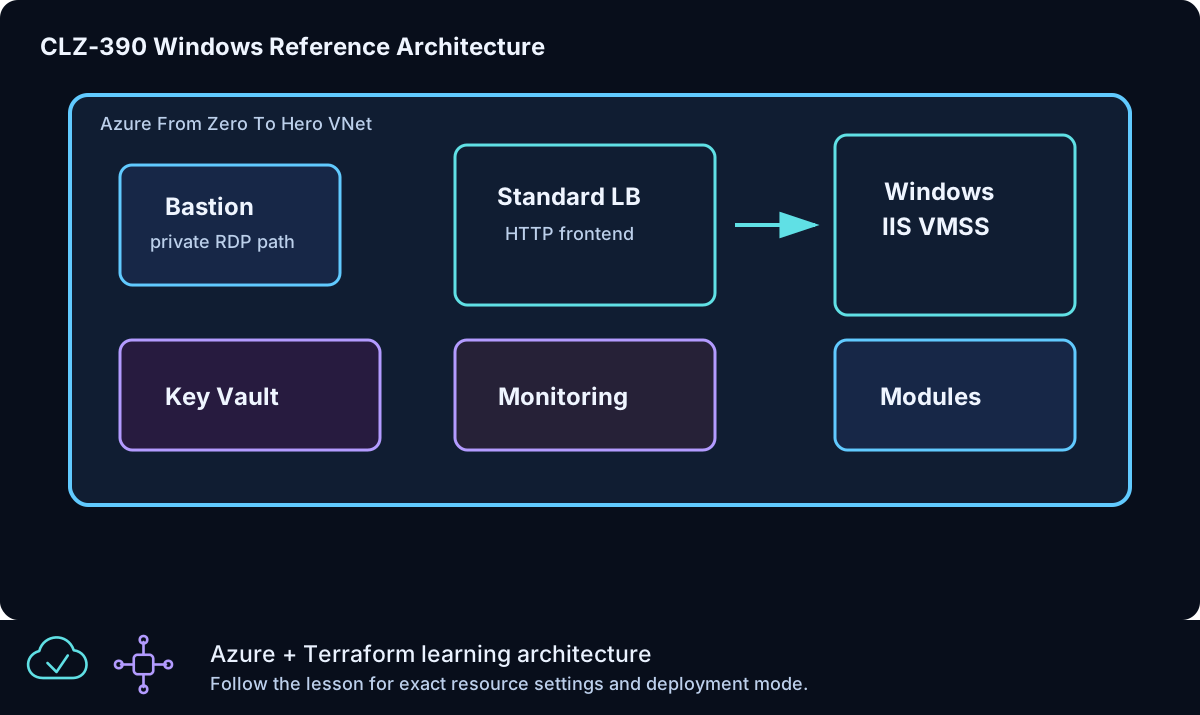
Combine reusable network and Windows VMSS modules with a Standard Load Balancer, explicit outbound behavior, subnet NSG, Azure Bastion, Key Vault, and Log Analytics into one reviewable capstone.
Prerequisites
- Complete CLZ-210, CLZ-260, CLZ-340, and CLZ-360.
- Quota and budget for Bastion plus the selected VMSS maximum size/count.
- Your current public IPv4
/32for Key Vault access. - Destroy older capstone deployments before adopting the suffixed Key Vault name.
Architecture
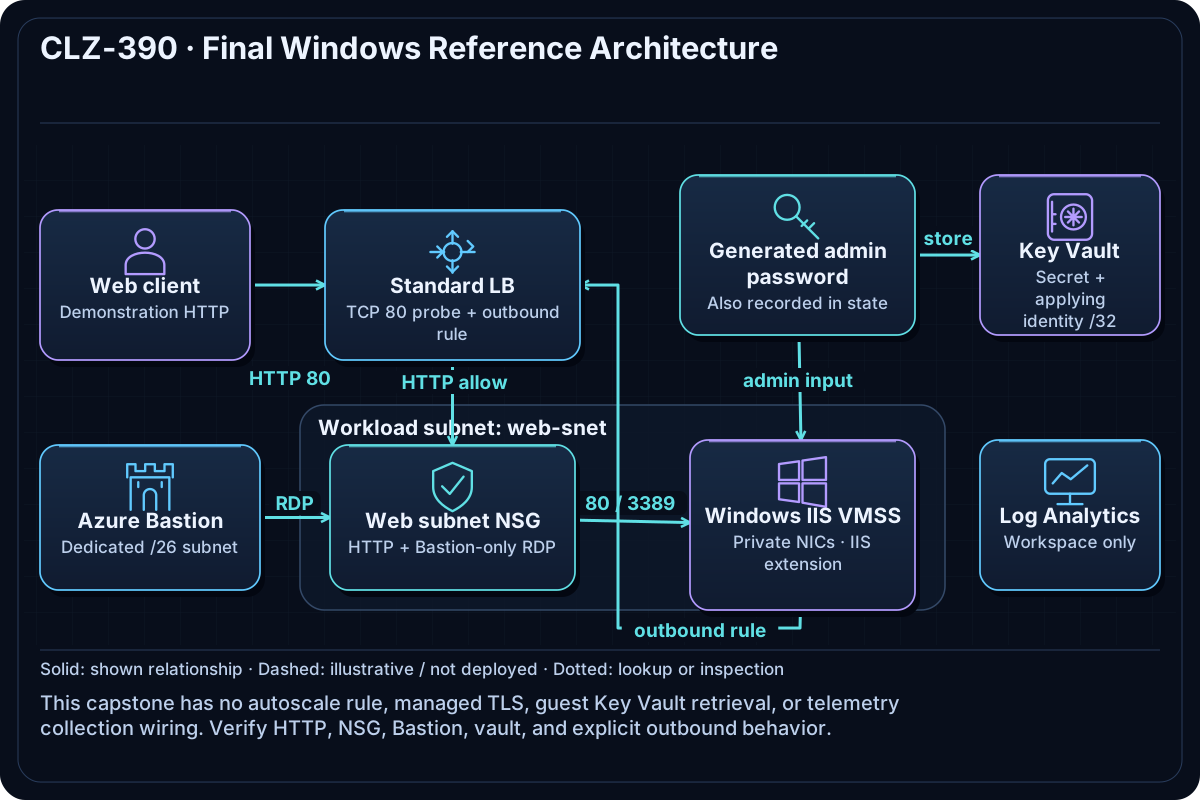
The network module creates the VNet and workload subnets. A web-subnet NSG admits public HTTP for the Standard Load Balancer path and RDP only from AzureBastionSubnet. The VMSS module supplies IIS, probe, inbound rule, and explicit outbound rule. Bastion provides private administration; Key Vault stores the generated credential; Log Analytics creates the observability boundary.
Resources And Cost
Relative cost: High. Bastion and VMSS instances dominate; disks, public IPs, Log Analytics ingestion, Key Vault operations, and outbound traffic also contribute.
| Component | Purpose and principal cost driver |
|---|---|
| Network module and web NSG | VNet/subnets plus explicit HTTP and Bastion-only RDP policy. |
| Windows IIS VMSS module | Validated size/count, Standard Load Balancer, health probe, and explicit outbound rule. |
| Azure Bastion and public IP | Private RDP management path with an hourly charge. |
| Key Vault and generated secret | Stable suffixed vault restricted to the supplied /32; sensitive value remains in state. |
| Log Analytics workspace | Monitoring foundation; ingestion/retention determines ongoing cost. |
Inputs
| Input | Required substitution or decision |
|---|---|
subscription_id |
Required for Azure plan, apply, and destroy; use the exact subscription GUID. |
environment |
Keep dev for an ephemeral lab unless testing another environment boundary. |
location |
Choose a supported region with sufficient quota. |
name_prefix |
Use a short lowercase prefix for derived names. |
admin_username |
Nonreserved administrator name used by VMSS. |
vm_size |
Small Windows size supported in the selected region. |
instance_count |
Positive integer; keep the capstone small because it multiplies VM/disk cost. |
key_vault_access_cidr |
Required current public IPv4 /32 for lab secret administration. |
Keep real subscription IDs, CIDRs, endpoint names, and secrets in untracked local files or protected repository settings.
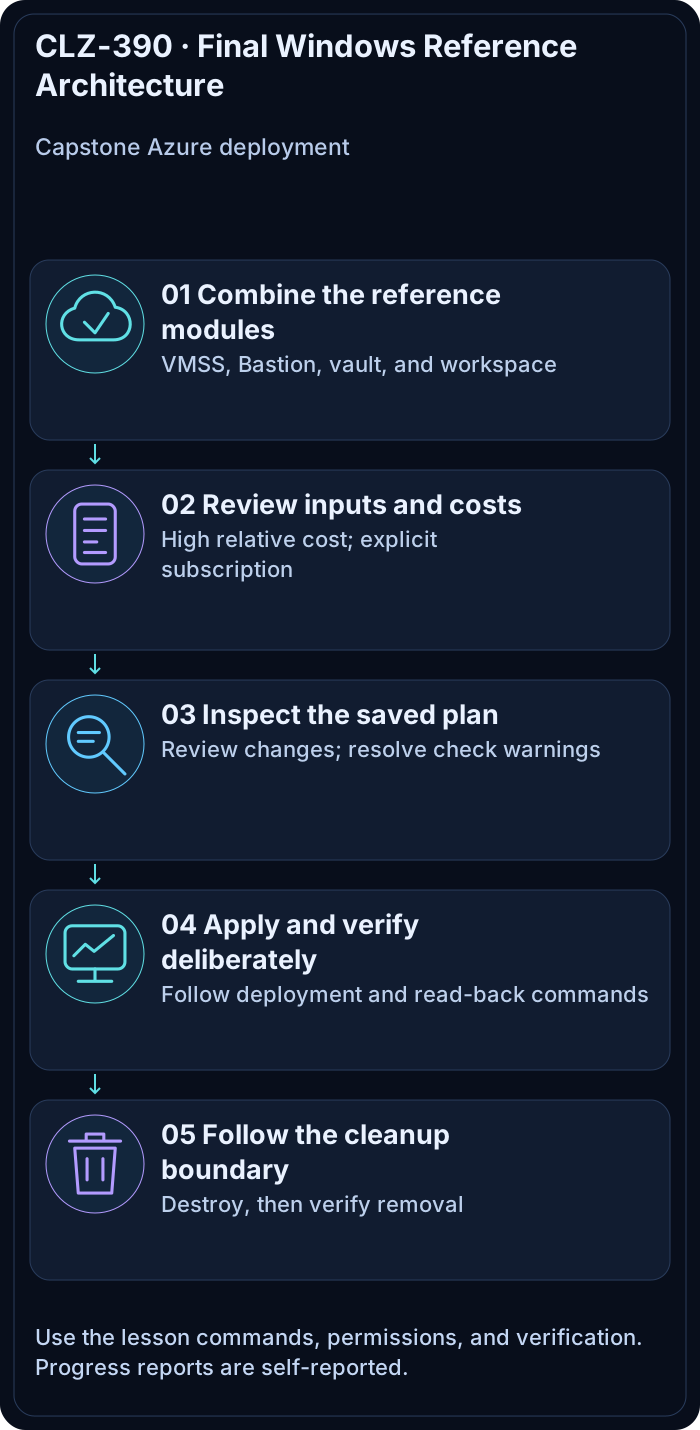
Deploy

Run from the repository root in PowerShell 7:
Set-Location CLZ-390-final-windows-reference-architecture
if (-not (Test-Path terraform.tfvars)) {
  Copy-Item terraform.tfvars.example terraform.tfvars
}
$subscriptionId = az account show --query id --output tsv
terraform init -lockfile=readonly
terraform fmt -check
terraform validate
terraform plan -var "subscription_id=$subscriptionId" -out tfplan
terraform show tfplan
terraform apply tfplan
Validate
The shared VMSS module uses a Manual upgrade policy. An IIS extension added to the model may require explicitly updating existing instances. Review the instance model and extension status before expecting healthy HTTP responses:
$resourceGroup = terraform output -raw resource_group_name
$scaleSetName = az vmss list --resource-group $resourceGroup --query '[0].name' --output tsv
az vmss list-instances --resource-group $resourceGroup --name $scaleSetName --expand instanceView --output json
# Deliberate Azure change: update these lab instances to the latest model after review.
az vmss update-instances --resource-group $resourceGroup --name $scaleSetName --instance-ids '*'
Follow Microsoft's VMSS application deployment guidance. Wait for successful extension execution and probe health before checking HTTP.
$resourceGroup = terraform output -raw resource_group_name
$url = terraform output -raw capstone_load_balancer_url
(Invoke-WebRequest -Uri $url -UseBasicParsing).StatusCode
$nsg = terraform output -raw web_network_security_group_name
az network nsg rule list --resource-group $resourceGroup --nsg-name $nsg --query '[].{name:name,source:sourceAddressPrefix,port:destinationPortRange,access:access}' --output table
az network bastion list --resource-group $resourceGroup --query '[].provisioningState' --output tsv
az keyvault show --name (terraform output -raw key_vault_name) --query properties.provisioningState --output tsv
$lb = az network lb list --resource-group $resourceGroup --query '[0].name' -o tsv
az network lb outbound-rule list --resource-group $resourceGroup --lb-name $lb --output table
Expected result:
- HTTP returns
200through the Load Balancer and healthy VMSS. - The web NSG contains the HTTP path and RDP is restricted to the Bastion subnet rather than an Internet CIDR.
- Bastion and Key Vault are
Succeeded, and the Load Balancer has an explicit outbound rule.
Troubleshooting

| Symptom | Resolution |
|---|---|
| HTTP fails after apply | Wait for VMSS extension/probe health, then inspect NSG, backend pool, and instance view. |
| Bastion cannot reach an instance | Check the Bastion subnet, web NSG RDP source, VMSS instance health, and credentials. |
| Key Vault returns Forbidden | Update the required /32, verify applying identity/policy, and allow propagation time. |
Cleanup

$resourceGroup = terraform output -raw resource_group_name
terraform destroy -var "subscription_id=$subscriptionId"
terraform state list
az group exists --name $resourceGroup
All high-cost Bastion, VMSS, Load Balancer, public IP, disk, vault, workspace, and network resources are removed; Azure CLI returns false.
Production Delta
- Enable Key Vault purge protection, RBAC/private access, managed identity secret retrieval, rotation, and protected remote state.
- Add filtered egress, TLS/application gateway or Front Door as required, hardened images, patching, backup, zone resilience, autoscale, diagnostics, alerts, and tested recovery.
- Split platform, network, security, data, and workload lifecycles/states with reviewed module versions and least-privilege deployment identities.
Exercises
- Use CLI-only evidence to prove every acceptance criterion without relying on the portal.
- Produce a production gap list ranked by security risk, availability impact, operational effort, and cost.
Navigation
← CLZ-380 - Azure SQL Private Access | Curriculum | Curriculum →