CLZ-380 - Azure SQL Private Access
Goal
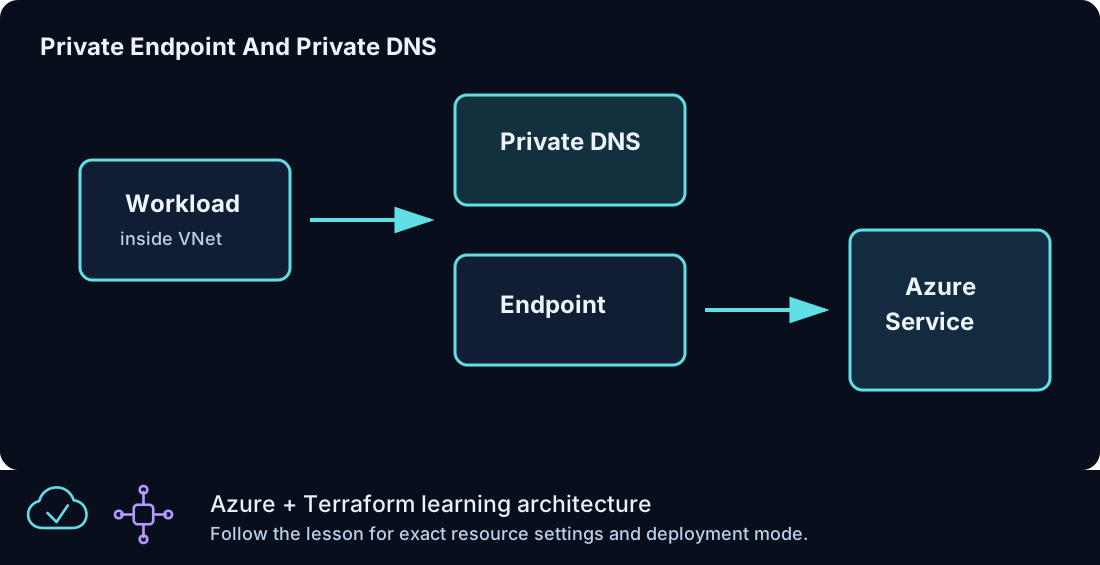
Deploy a uniquely named Azure SQL logical server and Basic database with public networking disabled, then connect its SQL subresource through Private Endpoint and Private DNS.
Prerequisites
- Complete CLZ-290 and CLZ-350.
- Permission/quota for Azure SQL, Private Endpoint, Private DNS, and networking.
- An existing client in the linked VNet is required for DNS/TCP data-plane validation; this lesson creates no client VM.
Architecture
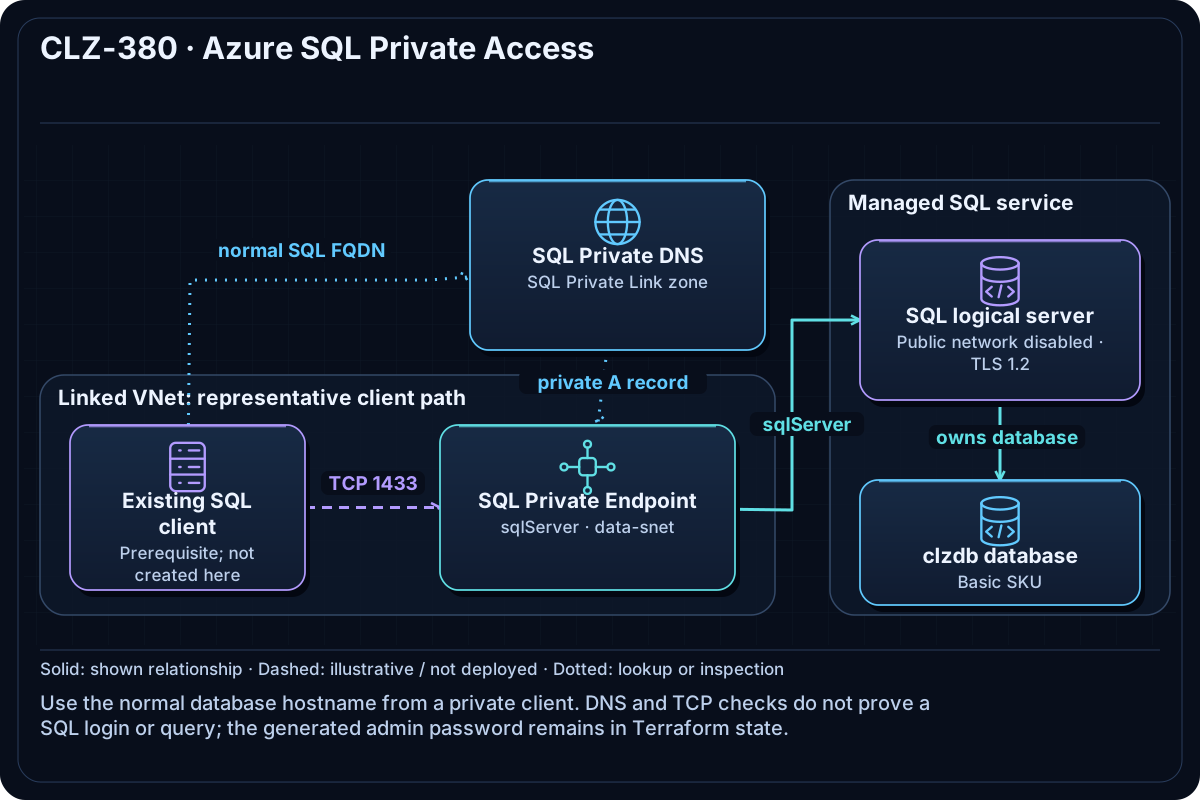
A stable random suffix gives the SQL server a global name. Public network access is disabled. A Private Endpoint in data-snet connects the sqlServer subresource, while privatelink.database.windows.net, its VNet link, and zone group make the normal database hostname resolve privately.
Resources And Cost
Relative cost: Moderate. The Basic database, Private Endpoint hours/data, DNS queries, and backup/storage usage drive cost.
| Component | Purpose and principal cost driver |
|---|---|
| SQL logical server and Basic database | Private-only database service; database SKU is the main fixed service cost. |
| Generated SQL administrator password | Sensitive value stored in Terraform state. |
| SQL Private Endpoint | Approved private connection in the data subnet. |
| Private DNS zone, link, and zone group | Private resolution for the normal SQL server FQDN. |
| Stable random suffix | Persists global SQL server naming across plans. |
Inputs
| Input | Required substitution or decision |
|---|---|
subscription_id |
Required for Azure plan, apply, and destroy; use the exact subscription GUID. |
environment |
Keep dev for an ephemeral lab unless testing another environment boundary. |
location |
Choose a supported region with sufficient quota. |
name_prefix |
Use a short lowercase prefix for derived names. |
sql_admin_login |
Choose a valid nonreserved SQL administrator login; the password is generated. |
Keep real subscription IDs, CIDRs, endpoint names, and secrets in untracked local files or protected repository settings.
Deploy

Run from the repository root in PowerShell 7:
Set-Location CLZ-380-azure-sql-private-access
if (-not (Test-Path terraform.tfvars)) {
  Copy-Item terraform.tfvars.example terraform.tfvars
}
$subscriptionId = az account show --query id --output tsv
terraform init -lockfile=readonly
terraform fmt -check
terraform validate
terraform plan -var "subscription_id=$subscriptionId" -out tfplan
terraform show tfplan
terraform apply tfplan
Validate
$resourceGroup = terraform output -raw resource_group_name
$server = terraform output -raw sql_server_name
az sql server show --resource-group $resourceGroup --name $server --query '{name:name,state:state,publicNetwork:publicNetworkAccess}' --output json
az network private-endpoint list --resource-group $resourceGroup --query '[].{name:name,state:provisioningState,connection:privateLinkServiceConnections[0].privateLinkServiceConnectionState.status}' --output table
# Run only from a client in the linked VNet:
Resolve-DnsName "$server.database.windows.net"
Test-NetConnection "$server.database.windows.net" -Port 1433
Expected result:
- Control plane: SQL is ready with public network access disabled, and the endpoint is
Succeeded/Approved. - Data plane in the VNet: the normal SQL FQDN resolves through
privatelinkto a private10.40.3.xaddress and TCP 1433 succeeds. - An ordinary Internet laptop is expected to fail the private data-plane connection.
Troubleshooting

| Symptom | Resolution |
|---|---|
| SQL exists but the endpoint is Pending | Inspect the service connection, sqlServer subresource, and approval state. |
| The FQDN resolves publicly in the VNet | Check the zone group/link, custom DNS forwarding, and cached records. |
| The laptop cannot connect | Expected when it is outside the linked/connected network; use a representative private client. |
Cleanup

$resourceGroup = terraform output -raw resource_group_name
terraform destroy -var "subscription_id=$subscriptionId"
az group exists --name $resourceGroup
The database, server, endpoint, private DNS, generated secret state, and network are deleted.
Production Delta
- Use Entra authentication/managed identities instead of a shared SQL administrator where possible, and protect Terraform state as secret-bearing.
- Add backup/retention, auditing, threat detection, diagnostics, zone/geo-resilience, least-privilege databases, and capacity monitoring.
- Continuously test DNS and SQL connectivity from real private application paths; control-plane success alone is insufficient.
Exercises
- From an in-VNet client, trace the DNS CNAME/A chain without printing SQL credentials.
- Design an Entra-only application authentication path and list which shared-admin elements it removes.
Navigation
← CLZ-370 - GitHub Actions for Terraform | Curriculum | CLZ-390 - Final Windows Reference Architecture →