CLZ-200 - Windows VM IIS Bootstrap
Goal
Automate IIS installation and publish a deterministic validation page with Azure Custom Script Extension instead of configuring the Windows VM manually.
Prerequisites
- Complete CLZ-190.
- A current public IPv4
/32and quota for the selected Windows size. - Local HTTP access is allowed for validation.
Architecture
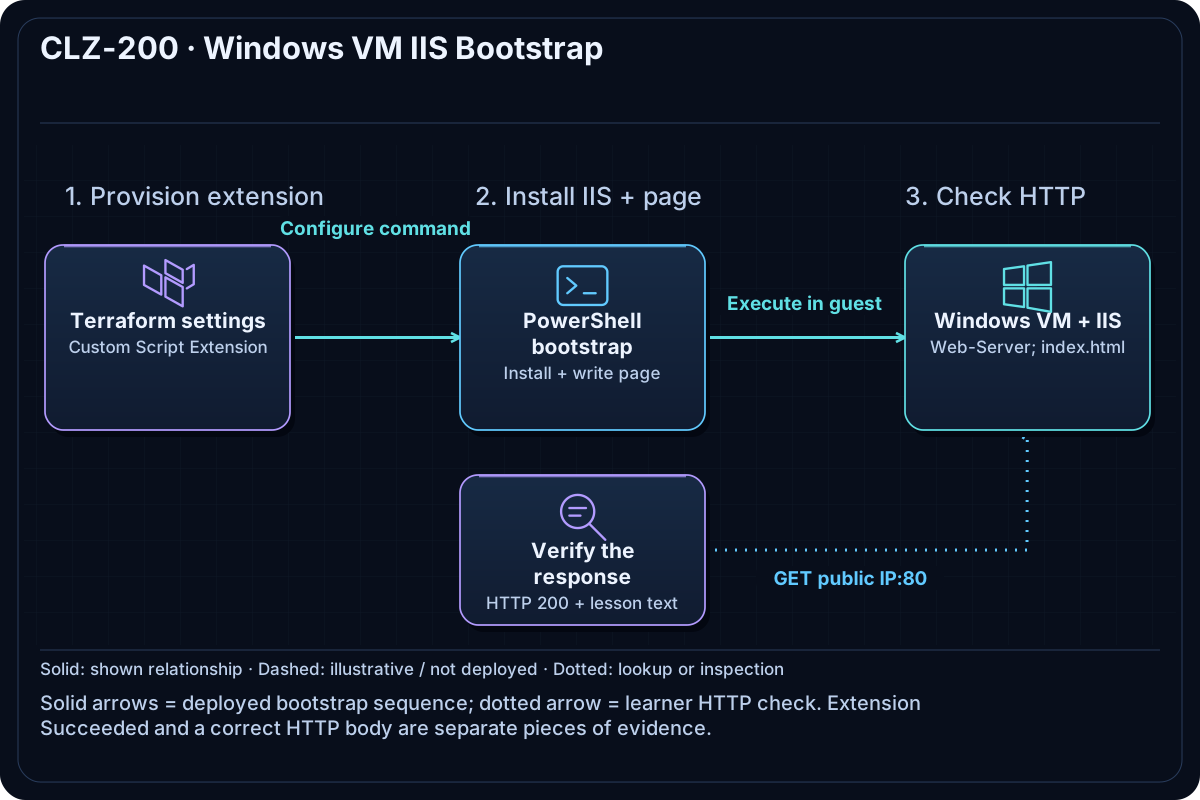
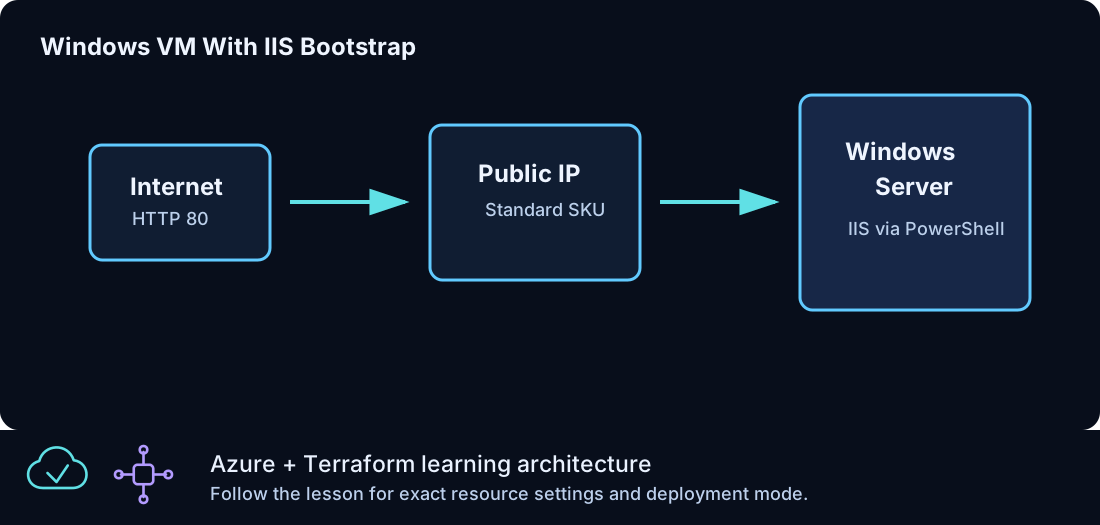
The CLZ-190 VM pattern adds a Custom Script Extension. PowerShell installs the IIS Windows feature and writes a lesson page. The VM's Standard public IP is used only to validate the bootstrap in this introductory automation pattern.
Resources And Cost
Relative cost: Moderate. The Windows VM and disk dominate; the public IP is also billable. The extension has no separate charge.
| Component | Purpose and principal cost driver |
|---|---|
| Windows VM, disk, NIC, and public IP | Hosts IIS; compute hours are the primary cost. |
| Custom Script Extension | Runs idempotent PowerShell bootstrap commands after VM provisioning. |
| VNet and web NSG | Allows HTTP and administrator RDP only as documented. |
Inputs
| Input | Required substitution or decision |
|---|---|
subscription_id |
Required for plan, apply, and destroy; use the exact subscription GUID. |
environment |
Keep dev for an ephemeral lab unless testing an environment boundary. |
location |
Select a supported region with adequate quota. |
name_prefix |
Use a short lowercase prefix for derived names. |
admin_username |
Nonreserved local administrator name. |
admin_cidr |
Required public IPv4 /32 for direct RDP in this teaching lab. |
vm_size |
Small Windows size supported in the selected region. |
Keep real subscription IDs, CIDRs, and secrets in untracked terraform.tfvars or environment variables.
Deploy

Run from the repository root in PowerShell 7:
Set-Location CLZ-200-windows-vm-iis-bootstrap
if (-not (Test-Path terraform.tfvars)) {
  Copy-Item terraform.tfvars.example terraform.tfvars
}
$subscriptionId = az account show --query id --output tsv
terraform init -lockfile=readonly
terraform fmt -check
terraform validate
terraform plan -var "subscription_id=$subscriptionId" -out tfplan
terraform show tfplan
terraform apply tfplan
Validate
$url = terraform output -raw iis_url
$response = Invoke-WebRequest -Uri $url -UseBasicParsing
$response.StatusCode
$response.Content
az vm extension list --resource-group (terraform output -raw resource_group_name) --vm-name (az vm list -g (terraform output -raw resource_group_name) --query '[0].name' -o tsv) --query '[].provisioningState' -o tsv
Expected result:
- HTTP returns status
200. - The body identifies the CLZ-200 IIS lesson.
- The VM extension provisioning state is
Succeeded.
Troubleshooting

| Symptom | Resolution |
|---|---|
| The extension is still transitioning | Wait several minutes and inspect az vm extension show; Windows feature installation is not instantaneous. |
| HTTP times out | Check the NSG HTTP rule, public IP, extension state, and IIS service before changing Terraform. |
| The page is stale after script edits | Extension settings may need a content/version change to rerun; inspect the plan. |
Cleanup

$resourceGroup = terraform output -raw resource_group_name
terraform destroy -var "subscription_id=$subscriptionId"
az group exists --name $resourceGroup
The web VM and all dependent network/storage resources are deleted.
Production Delta
- Intentional teaching exception: remove direct VM public access and place IIS behind an approved application delivery tier.
- Use a versioned image or configuration pipeline, signed artifacts, health checks, TLS, logging, and safe secret retrieval.
Exercises
- Change the page content through Terraform and confirm the extension is planned to rerun.
- Use PowerShell to validate both status code and a unique page string in one assertion.
Navigation
← CLZ-190 - Windows VM Basics | Curriculum | CLZ-210 - Azure Bastion RDP →